3 Speaking tips for wired audiences
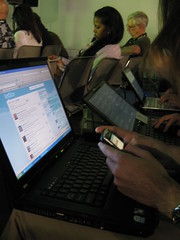
More audiences today are wired, with laptops or smart phones. They are taking notes, Tweeting, and much more. This changes the dynamic of speaking, so here are three tips I picked up at BlogWorld Expo this year.
 1. Using a visual can make people stop taking notes and listen to you. This one came from @armano during his presentation on creating visuals. He was right, too.
2. Put a copy of your presentation online ahead of time. If the projector or video fails, all those with laptops in the audience can pull it up and flip through it with you. This one was suggested by @digitalandy when the computer controlling the projector failed in a session. Seems so obvious, but how often do we do it?
3. Before you make a gesture to help explain a concept, say, “I want you to watch as I do this…” I heard @shama say this in her presentation to get people to look up from their screens. It worked, too.
What have you learned about speaking with increasingly connected audiences?
New to SmallBizSurvival.com? Take the Guided Tour. Like what you see? Get our updates.
- About the Author
- Latest by this Author

Becky started Small Biz Survival in 2006 to share rural business and community building stories and ideas with other small town business people. She and her husband have a small cattle ranch and are lifelong entrepreneurs. Becky is an international speaker on small business and rural topics.




If you have notes or an outline, don’t put it in your presentation where some people can’t read it. Instead, put up relevant visual content other than your notes. Remember, not everyone in every seat will be able to read your presentations. In a non-connected site (where I have observed this), some kind of handout or fixed-position sign with your outline / notes can help people absorb your content better.
Transitions: transitions between your slides are cute at first. Then it becomes a contest to see whose talk will have the best transitions between slides. Once that happens, no one is listening to the messages OR reading the content of the slides. Use simple transitions, preferably the same ones for everyone during the conference.
In a connected situation, put a PDF version of your presentation AND your notes online prior to your talk. There are lots of reasons to use PDF and not your presentation software, including the variation in programs and versions among your audience. One of the things this can do is warm people up for your talk, so that they have already thought about the issues and have intelligent questions during the q&a period.